We remain fully operational. Our teams are working around the clock to ensure your deliveries continue safely.

DOWNLOAD THE APP


Customer Services
Copyright © 2025 Desertcart Holdings Limited
DOWNLOAD THE APP
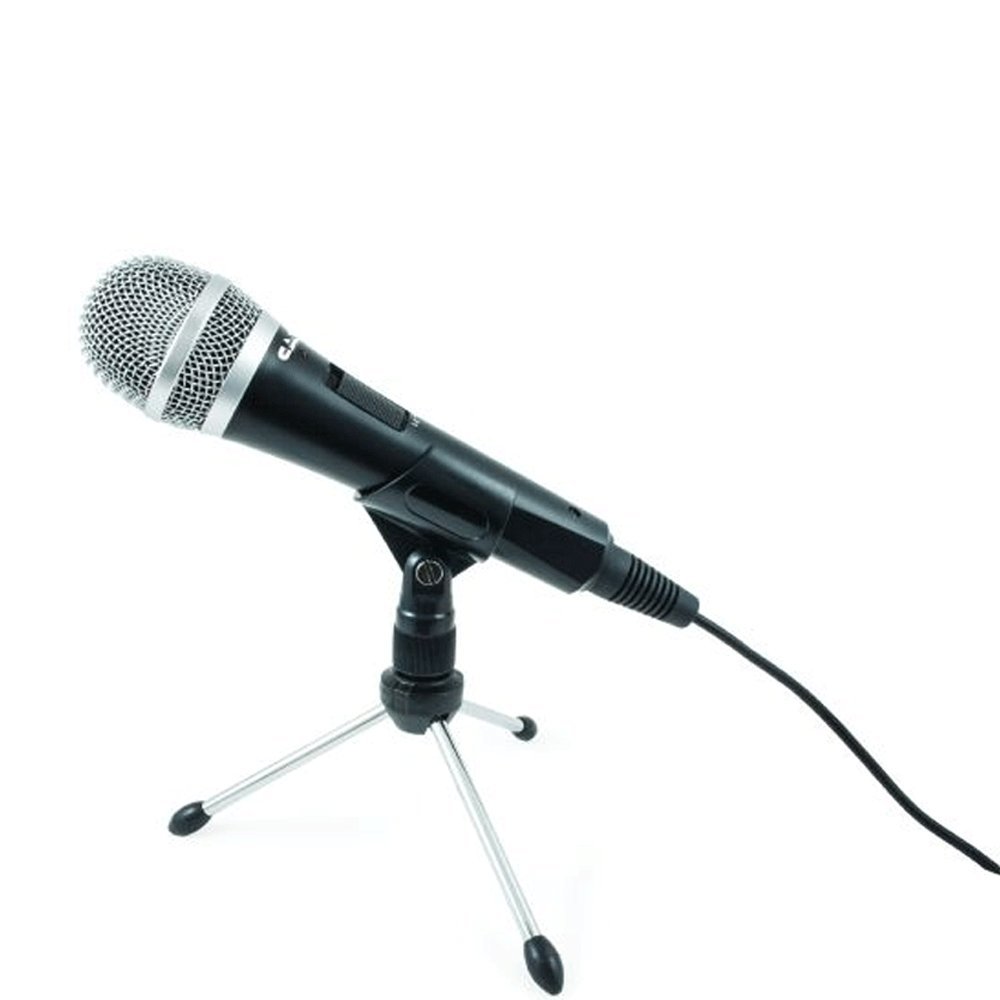
🎧 Elevate your voice, own your space — record like a pro, anywhere.
The CAD Audio USB U1 is a dynamic cardioid microphone designed for vocals and instruments, featuring a smooth extended frequency response and built-in pop filter. It offers plug-and-play USB connectivity compatible with Windows and Mac, includes a 10-foot cable and desktop stand, plus an on/off mute switch for instant control—perfect for podcasting, streaming, and professional desktop recording.


| ASIN | B000ULQTE0 |
| Batteries | 1 Lithium Ion batteries required. |
| Best Sellers Rank | #25,382 in Musical Instruments ( See Top 100 in Musical Instruments ) #242 in Multipurpose Dynamic Microphones |
| Customer Reviews | 4.3 4.3 out of 5 stars (3,592) |
| Date First Available | September 14, 2004 |
| Global Trade Identification Number | 00631922103649, 00999991519809 |
| Hardware Platform | PC |
| Is Discontinued By Manufacturer | No |
| Item Weight | 1.2 pounds |
| Item dimensions L x W x H | 9.2 x 4.5 x 12 inches |
| Item model number | AMS-U1 |
| Manufacturer | CAD Microphones |
| Material | Stainless steel, manganese, aluminum |
| Microphone Form Factor | Microphone Only |
| Number of Batteries | 1 Lithium Ion batteries required. |
| Number of Channels | 1 |
| Power Source | Corded Electric |
| Product Dimensions | 9.2 x 4.5 x 12 inches |
| Signal-to-Noise Ratio | 60 dB |
| UPC | 999991519809 797749897427 796793865369 631922103649 962327372799 |
K**C
Great sound quality microphone
I bought this mic to record spoken voice for game commentary and pod casts and the like, not to sing (so I can't comment on what its like to record singing). I have had massive problems with other microphones (that were also cheap) because of the background noise in my computer room (window unit A/C - even with the compressor off, the massive fans make a fair amount of noise for my other mics to deal with, 3 computers with fans and the like). This has been an amazing microphone for me so far (had it a couple months now). It is very sensitive, which you would think would be counter-productive for a noisy room, but in my experience, since you can turn the volume down REALLY low (my windows mic volume is sitting at 5) and it will still pick up your voice loud and clear, as long as you get the positioning right, the background noise becomes negligible. I will admit I have to turn off the a/c (just the compressor part, not the fans) to get crystal clear recording, but it is miles ahead on sound quality than any other cheap microphone I have tried, and you can't really fault it for picking up loud noises that are actually in the room (after all, that is what a microphone is supposed to do, and that compressor is LOUD). I normally shut the door to the room, run the a/c on high for a few minutes before I want to record, and then turn the thermostat up so the compressor shuts off while I record for a couple hours. I had no troubles getting this to work in any of the software I use to record, I also have started using it in things like ventrilo because its just so much better than my old desk mic. Also, the stand it comes with is great for the default stand you get with a mic. The center pole moves up and down (not much, but about 2-3 inches of lift) and the part the mic attaches with pivots up and down about 180 degrees. The cord is also decently long, I have no problems mounting this on an arm on the opposite side of my desk from my pc. I think the cord is nearly 8 feet long. For the price, this thing is nothing short of amazing. My only complaint is the blue led that is right above the switches is really bright, and I normally record in a dark room... But, when the worst thing you can say about a product is the led is too bright, I call that a win. I am actually buying a second one today for my partner so we can both record at the same time and not have to be sitting on top of each other in front of my computer.
B**S
CAD U37 USB mic is a perfect fit for the desktop
I was having problems with my Win7 Ultimate computer system recognizing my Snowball USB mic. Just stopped working? Soooooo onto Amazon I went to do some research. This mic fits the bill with a desktop stand and USB cable. The included mic base ring contains the standard thread pattern so you could mount this mic on many of the standard bases depending on your usage. Unpack it, assemble it, plug it in; and you'll be up and running. Win7 recognized it and a Skype test confirmed everything was working properly. Make sure you go into the Control Panel and make this USB mic the audio input device and bypass the mic on you USB webcam. Be sure that Win7 doesn't recognize it as a USB speaker.This mic should show up as "C-media USB device" on the hardware page. It looks nice on the desk next to the monitor and works just fine off to the side. Adjustable sensitivity and bass make it easy to change some of the audio qualities if you need to. Great mic,desktop base,USB cable, pro wanna-be worthy, and much cheaper that some of the pro-quality stuff at $250 and up. FYI- When your computer is up and running there is a little blue led on the front that stays on. When you access Skype or some sound program requiring a mic it will begin to flash so you know it is "in use". I guess you could lower the brightness of the little blue light with a "black Sharpie" if the light annoys you.....or wait for the led to burn out after 20,000 hours. Blue light update: use a tiny piece of duct tape instead.....!! Skpe or podcasting all works great............Don't know about making music, someone else can evaluate that....
D**N
White Noise At Full Input Volume - Details on how I got around it below
REVIEW EDIT: So I had ordered a NEEWER Microphone Suspension Boom Scissor Arm Stand , and used it with this mic. It allowed the microphone to sit closer to my face, which in turn, has allowed me to use the microphone with a volume input of about 40 in the Windows microphone settings. This reduction in input volume makes the noise a LOT lower than when the input is at full volume. It makes it so the white noise problem has faded out, and is barely noticeable. The sound quality is still superb, so I'll give it 4 stars, since I had to spend a total of $45 to get the mic and stand to get it closer. If you already have a mic stand that can get it within 6 inches of your face, then I recommend this microphone. If you have nothing, and are looking at finding a microphone, I'd suggest looking elsewhere first. This microphone is still spectacular except for the white noise issue. Also, I've been talking with CAD support about this over the past week, and they have been very polite and quick to respond. Even after I specified that I wasn't looking to get a replacement, or trying to get anything for free, they still offered to trade me up to a U37 if I pay shipping costs (still debating whether I want to). I definitely give a 5-star rating to the customer support at CAD, and will definitely look to purchasing their products in the future should the need arise. ============================== (ORIGINAL REVIEW BELOW) ============================== (I bought the Black Edition - CAD u4F model, not the original CAD U1 mic) This microphone is a great microphone with one condition: Assuming you can get it connected without the white noise that plagues mine. Without the white noise, this microphone has absolutely fantastic recording quality for $25. I do have Adobe Audition, so for recordings it's pretty easy to get the white noise out of the way without hindering my voice barely at all. However, for non-recording situations (streaming, Skype, or just talking to other people in general) the interference can't be avoided. All the reviews said this microphone was great, and I believed them. And you know what? It is. It is a fantastic microphone for $25 that I bought it for. The ONLY problem I have is the interference. And it isn't from the microphone itself, because even with it muted, the noise/interference remains, so it has to be coming from the cable or connection to my computer. I've tried every USB port on my desktop PC, I've tried a few different laptops, and the same noise follows it. I've also used it in 2 cities 5 hours apart, and nothing changed. So I've come to the conclusion that it's the cable. Trying to solve this, I bought a 5-pack of Ferrite Choke Clamps here on Amazon. They fit wonderfully snug on the cable (5mm chokes for the 4.5mm cable). But they do absolutely nothing to lessen the interference (which sometimes is coupled with a very faint radio signal). Before the chokes, I looked all throughout my settings for ways to lessen the interference, but couldn't find ANY settings outside of simple input volume control in my settings. This microphone registers as a Generic USB Plug-n-Play Microphone on Windows 7, and so it has none of the settings that earlier reviews mentioned. Lowering the volume does lessen the noise, but it also lessens my voice on the mic as well, meaning I'd have to be talking from 2 inches away to maintain the same volume as before. Maybe different materials are used in the manufacturing now, like maybe the cable isn't shielded as well. It's not unheard of for products to manufactured a little cheaper later in life-cycles. All I know is, if there were no white noise interference, this microphone would EASILY be worth the money because the recording quality otherwise is absolutely fantastic. I'll honestly keep using it because it doesn't personally seem worth it to have paid for this and then pay $50 for another mic that doesn't have reports of this issue. If I had known this was un-solvable before I bought it, I probably would have just ponied up the extra cash and gone with the CAD U37 or Blue Snowball.
T**R
I bought the microphone after some careful research on youtube, with the intention of using it for a Cappella multitracking and piano playing (so I can play to a teacher over skype). I am very impressed with the outcome; the mic is sensitive to me and no odd software to download. I think it is rather reasonably priced. I have yet to try it out on my piano, but that's not urgent. The only (slight) downside is the very loud background hum, but this is only when I'm listening to the output with my headphones on; through my laptop speakers I don't get much background at all. Apart from that, I really can't complain. Very happy :)
O**R
Kesinlikle tedaülden kalkmış ve çoook vasat bir ürün. Problemli !!! Bulaşmayın. İade alınması için bekliyorum. Gelişmeleri paylaşacağım.
R**A
Buen precio buen microfono, pero hace eco este definitivamente es mas ambiental pero que se conecte a usb es fantastico y rapido
J**N
Son très clair et chaleureux pour la lecture de livres à l'attention des mal voyants - Ceci facilite grandement le travail délicat d'enregistrement avec l'aide indispensable d'un anti pop - Bonne assise du trépied - Bon rapport qualité-prix Je suis très satisfaite de mon choix
A**Y
The description of the product says its easy to use and provides a great sound source. This is 100% true. As soon as I got the package I unwrapped it and plugged it in and it was ready to use once I plugged it in through the USB port on my laptop. The stand is also useful as its easy to situate the mic in it and keep it upright. I use the mic to record audio for youtube videos and its easily compatible with the sound recorder program on my Windows 7 laptop. It provides a high fidelity and blocks
Trustpilot
2 months ago
1 day ago